Showing posts with label Android Tools section. Show all posts

Tuesday, 24 August 2021

UMTPro QcFire v7.2 setup free OnePlus Nord N100 frp pattern unlock , Vivo Fix XML and more...

 UMTPro  QcFire v7.2 setup free OnePlus Nord N100 frp pattern unlock , Vivo Fix XML and more...


UMTPro QcFire


UMTv2 / UMT Pro
Innovative and Intelligent

QcFire v7.2
The Ultimate Qualcomm Tool

Supported Functions
- Read / Write Firmware
- Backup / Restore QCN
- IMEI Repair in FTM/Diag + Flash Mode
- Backup / Reset / Restore Security (EFS)
- Reset FRP (Google Factory Reset Protection)
- Format UserData
- Read Pattern Lock (Android < 6.0, Un-Encrypted Devices Only)
- Reset Locks (PIN, Password, Pattern w/o Data Loss, Un-Encrypted Devices Only)
- Enable Diag (Need OEM Unlock, May not work on BL Locked Devices)
- Reboot to EDL from Fastboot
- Reset Mi Account for Xiaomi Devices
- Disable Mi Account for Xiaomi Devices
- Factory Reset (sideload Mode) for Xiaomi Devices
- Disable / Restore Locks for Encrypted Userdata
- Motorola Boot Repair
- Xiaomi EDL Locked Device Service
- Bootloader Unlock in EDL Mode for some Xiaomi Devices
- One Click Root in EDL Mode for Generic Qualcomm Devices
- Forensic Functions (Read Contacts / Messages in EDL Mode)
- One Click Lock Reset for Vivo Phones (Encrypted Userdata)
- Factory Method for Format FS
- EDL Authentication using Xiaomi Auth App (Service Account Required)
- Xiaomi Wipe EFS in Sideload Mode
- Xiaomi IMEI Repair for RSA Protected Phones
- Xiaomi Boot Loader Unlock
- Unique Method for Vivo Reset Locks for Protected Devices
- Xiaomi EDL Auth Using UMT Server
- Xiaomi Flashing in Fastboot Mode
- Nokia Factory Firmware (nb0) Direct Flashing in EDL mode
- Oppo OFP Firmware Exctration Added
- Xiaomi Free Auth Service
- Mi Account Reset without Relock
- Mi Account Patch on Flashing (EDL/Fastboot)
- Samsung MDM Unlock in EDL Mode

>Note : Some features are device/brand specific, may not work on all devices.


Added

LG
- G6 (LG-H871)

Nokia
- Nokia 8.1
- Nokia 8110 4G

OnePlus
- Nord (N100)

ZTE
- Primetime (K92)

Fix Vivo Xml
- You can fix Vivo rawprogram xml which has wrong or missing entries
- Fixed xml file will be saved in same folder

Auto Detect Multi Program Firmware
- Software will notify you if firmware has multiple rawprogram files (UFS devices)

Please use UMT Card Manager to Update Card Counter / Firmware / Activate Add-on, available via Support Access.


It Has Begun...
Keep Following Us...
Some Nice Updates Are On The Way...

SPECIAL THANKS TO OUR VALUABLE USERS FOR THEIR LOVE AND SUPPORT FOR MORE THAN 5 YEARS


WARNING :
ESN / MEID / IMEI REPAIR IS INTENDED TO REPAIR ESN / MEID / IMEI TO ORIGINAL ONE WRITTEN ON PHONE BACK LABEL / BOX. WE DO NOT ENDORSE OR ENCOURAGE ESN / MEID / IMEI CHANGING. ITS ILLEGAL. USER IS SOLE RESPONSIBLE FOR ANY ILLEGAL ACTIVITY DONE WITH USE OF FEATURES PROVIDED IN OUR SOFTWARE, NOT LIMITED TO ESN / MEID / IMEI.

ANY USER USING OUR SOFTWARE FOR ILLEGAL PURPOSE WILL BE SOLE RESPONSIBLE FOR HIS ACTS.

WE CONDEMN USE OF OUR SOFTWARE FOR ANY ILLEGAL PURPOSE.

STATUTORY WARNING - READ CAREFULLY
Using International Edition of our software is prohibited by Indian Law.
We strictly advice you to use Indian Edition if you are in India.
If you use International Edition in India, it may cause legal action against you by local law enforcement agencies.
We will not be liable for any loss or damaged caused.

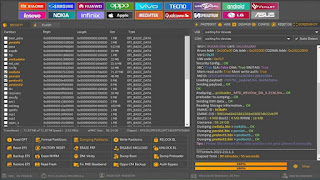
UMTPro  QcFire v7.2 Download 


Thursday, 2 January 2020

MST TOOL V 1.0.1 mobile Sumart Tool, I phone, Samsung, Flash, Frp,


MST TOOL V 1.0.1 mobile Sumart Tool, I phone, Samsung, Flash, Frp,


4.2 = Service section
- Reboot: Resetting the phone to download, recovery, .......
- Langauge Enabler: Install apps showing the hidden languages

3.2 = Huawei section
- Scan Devices: Read phone information in ADB / Fastboot mode
- Read phone info: Read phone information in Fastboot mode
- Read SN / imei: read imei in Fastboot mode
 - Check EMMC: Checks the memory status in Fastboot mode
- Bootloder: open or close a by code + delete FRP (by code)

2.2 = HTC section
 - Scan Devices: Read phone information in ADB / Fastboot mode
 - Read phone info: Read phone information in Fastboot mode - Reset FRP (Fastboot): Skip FRP in Fastboot mode
- Reset FRP (ADB): Skip FRP in ADB mode Bootloder: Opens or closes the boot loader
 - Fastboot Flash: flash Boot, Systerm, Recovery files in Fastboot mode


2- Android Tools section ============================================
A section is concerned with some operations of Android phones
1.2 = Samsung section
- Scan Devices: Read phone information in ADB mode
- Scan Port: Specifies the phone's Com port
- Reboot To Download: put the phone into Download mode Exit Download Mode: Exits the phone from the Download mode Factory Reset: Factory Reset
- Reset FRP (ADB): Skip FRP in ADB mode
 - Reset FRP / React / EE: Skip FRP in Download mode for supported models in Model List only
- Reset ScreenLock: Delete the screen lock in ADB + Root mode or through Custom Recovery (Frp: off)

2.1 = Sam Firmware section Download software for Samsung devices (latest version) One (Home) or four (Full Repaire) files if Binary Nature is enabled The model number is specified or written if it is not in the Model list Choose or write the area code if it is not in the Region list *** You can also view the phone model areas through the Check Country button and they will refer you to the

 - Check Updatees: Displays information and fetch the software
- Check Country: Know the regions for the phone model
- Download Rom: Download the software file
 - Download Combination: Download the Combination file Decrypt: decrypt


1- Firmware Downloader section ============================================  It is a section that specializes in downloading software files for APPLE and Samsung devices
 1.1 = ipsw Firmware section Special for viewing information and downloading software files for APPLE devices By specifying: Model Number Select Model Or device name:
Select Device

- Display information: Displays device information and fetch the software
- Download ipsw: to download the latest version of the software The file can also be downloaded via the Internet Download Manger program by activating Download By IDM ...
The ipsw format must be added in the options menu for the Internet Download Manger program

File Information:


File Name:               MST TOOL V 1.0.1

Download Version: V1.0

File type:                    compressed/Zip

File Password:         mobileteam1

File Size:                   131 MB


SOPPORT :


The  Software Runs Smoothly on Windows XP, Windows Vista, Windows 7, Windows 8, Windows 8.1 and Windows 10 (32 bit and 64 bit).


TOOL DOWNLOAD Ling


Featured post

TFTUnlock 2022-2.0.2.2 Free All Functions working

 TFTUnlock 2022-2.0.2.2 Free All Functions working LG |Added New Model| LG W10 | LG W11 | LG W30 | LG W31 | LG W31+ | LG W41 LG W4...